6.2 The preset boxes: The standard preset box
The “Standard preset box” can be opened by clicking associated either to the button Primary beam or Raster or eGate or Max Area or DTOS.
The “Standard preset box” consists of the Preset pad, at the left-hand side, and the Calib box, at the right-hand side, which must be opened only for modifying the content of a preset.
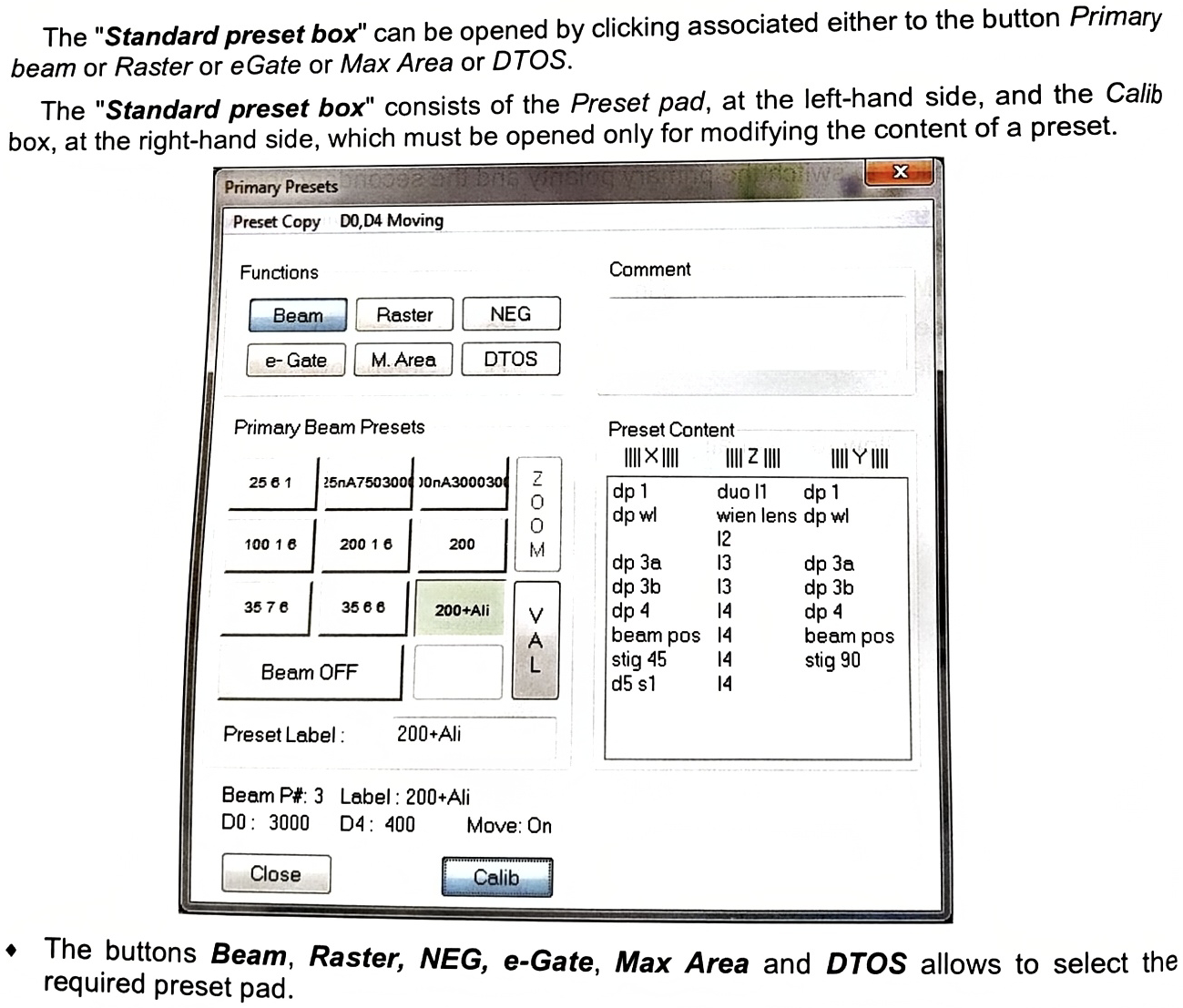
- The buttons Beam, Raster, NEG, e-Gate, Max Area and DTOS allows to select the required preset pad.
- Preset Copy is purposed for copying the current settings to any preset number; it displays the selecting menu 1/2/3…/9, corresponding to the following positions on the keypad.
| 7 | 8 | 9 |
| 4 | 5 | 6 |
| 1 | 2 | 3 |
The current settings will be memorized in the selected preset number.
◆ Preset label edits the preset name. Valid the label with the computer keyboard Enter.
D0, D4 Moving with Beam Presets is purposed to select the movement of D0, D4 apertures or not when a preset is selected.
Note that it is recommended to keep ON in order to correctly set a desired primary current and column alignment which are inseparably linked with the combination of D0, D4 apertures.
| Primary Presets | |
| Preset Copy | D0,D4 Moving |
| Functions | Moving with Beam Presets |
- The selection of D0, D4 apertures is included to each preset setting when a preset is validated. This information is shown at the lower part of the preset panel when the cursor is placed on a preset.
| Preset Label: | 200+Ali |
| Beam P#: 3 Label: 200+Ali D0: 3000 D4: 400 Move: On | |
- Valid is enabled if Calib has been clicked. It modifies and saves the preset content.
- Calib opens or closes the right-hand side calib box.
- The Calib box allows to assign the kbd thumbwheels to a selected line in order to modify a preset. The preset will not be modified if the calib box is closed without having clicked Valid.
- Close closes the box.