10.2 Starting Duoplasmatron source from tuning soft
The Tuning Duo Source control panels allow the operator to set the Duo Source High Voltage, Arc current and coil current. The Duo Source High Voltage (or Accel HV) is chosen by the user according to analytical requirements. Both the Arc and the coil currents are not depending upon this accelerating High Voltage.
It is also possible to modify the source parameters from the synoptics panel.
10.2.1 The Duo source Start Process
Section titled “10.2.1 The Duo source Start Process”The Duo source Start Process is activated in 2 cases:
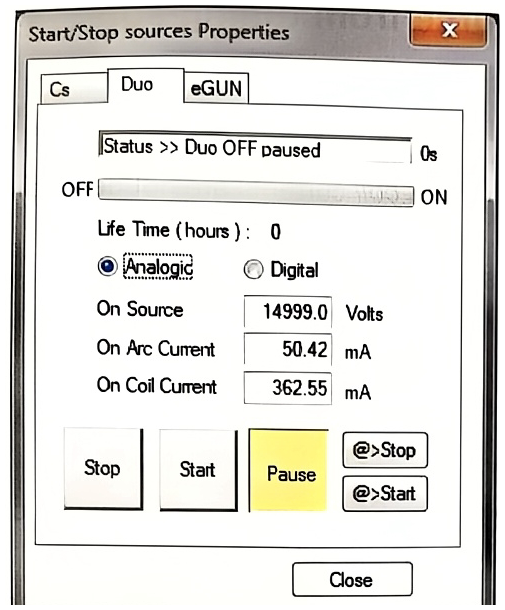
- When the operator clicks START in the Duo source Start/Stop panel shown below.
- When a new ISF is loaded, if the new ISF accel HV is not the current one.
Any Duo source Start Process can be defined by the set of 3 initial parameters and 3 final parameters
| Initial Duo HV | Final Duo HV |
| Initial Arc current | Final Arc current |
| Initial Coil current | Final Coil current |
The initial parameters are the instrument current parameters. The final parameters may be the last saved parameters in Set-Up or the parameters saved in ISF file to load.
The usual currents value for a Duo source with an Duo High Voltage of 15kV is about:
◆ Arc current = 50 mA
Coil current = 250 mA
After a certain period of using the source, if the debit current of the primary beam is unstable or the plasma in the duo source is not maintain correctly, it is necessary to clean inside the source. This step will be described at the end of this manual.
10.2.2 The Duo source Start/Stop panel
Section titled “10.2.2 The Duo source Start/Stop panel”Clicking the icon  in the top of the Tuning menu bar opens the property box displayed below:
Select the Duo tab.
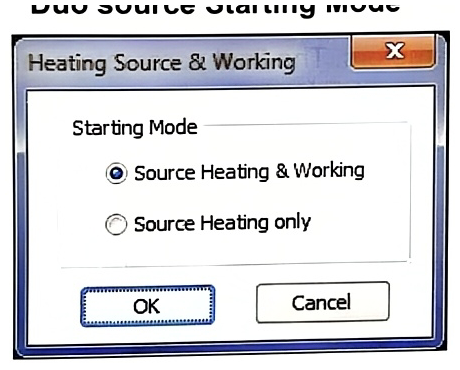
Duo source Starting Mode
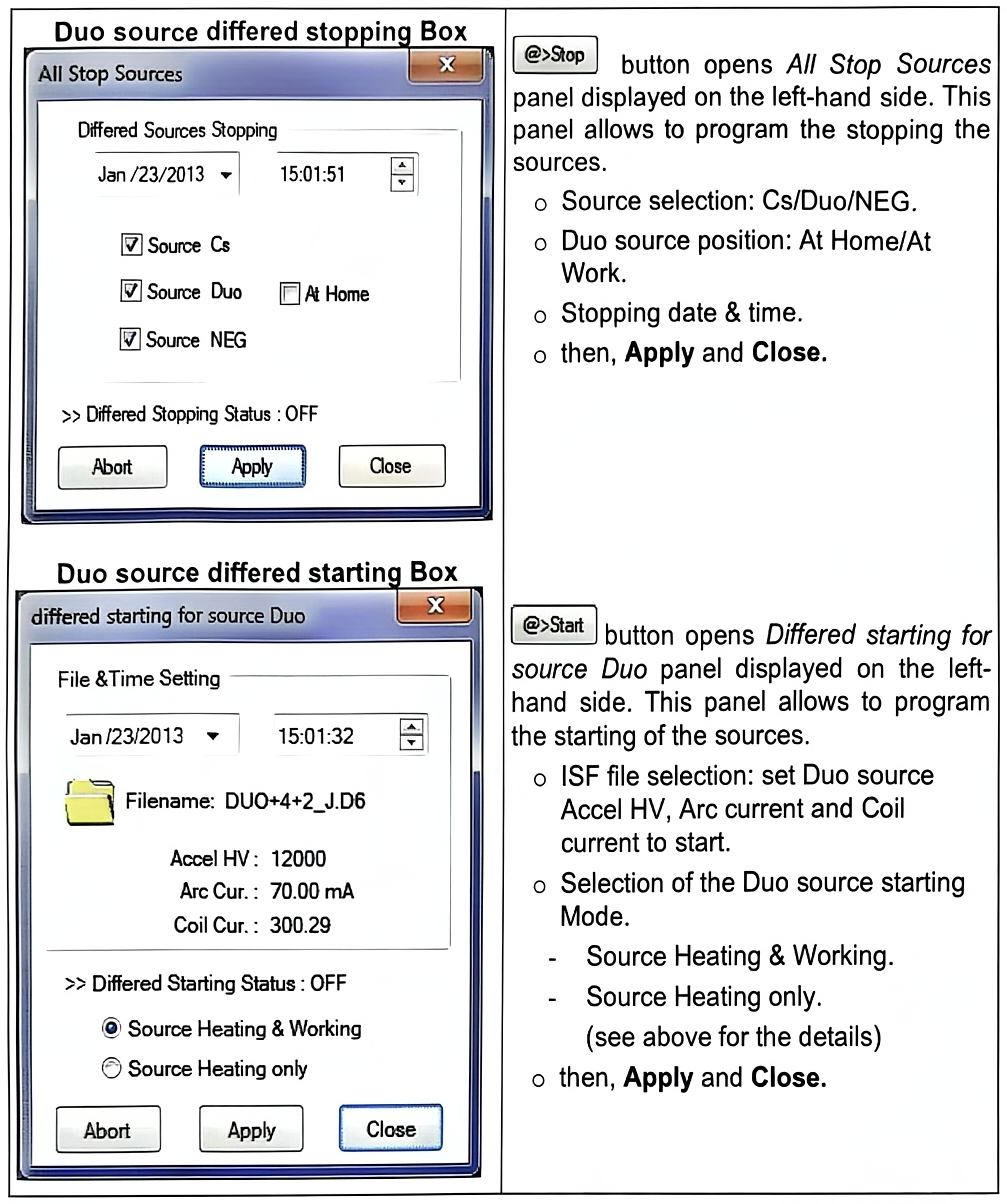
10.2.3 Duo source differed stopping and starting
Section titled “10.2.3 Duo source differed stopping and starting”